Medical Files & Documents - A Complete Digital Record for Patients

Attach and organize relevant medical files in every dental patient's record: X-rays, CT scans, intra-oral photos, GDPR documents and any other required file. AtriumApp lets patients complete and sign documents directly on the practice tablet, their own phone or desktop. Forms can be opened from a secure link sent by SMS or email, or by scanning a QR code, while consent, medical history and GDPR documents are generated automatically.

AtriumApp - Medical Files & Documents - A Complete Digital Record for Patients

Key benefits

Complete forms on the practice tablet or the patient's own device
Digital signature directly on screen, by touch or mouse
Secure expiring link sent by SMS or email
QR code to open the form directly at the practice
Automatic generation of Consent, Anamnesis, GDPR
PDF automatically saved in the electronic patient record
Organization into document categories
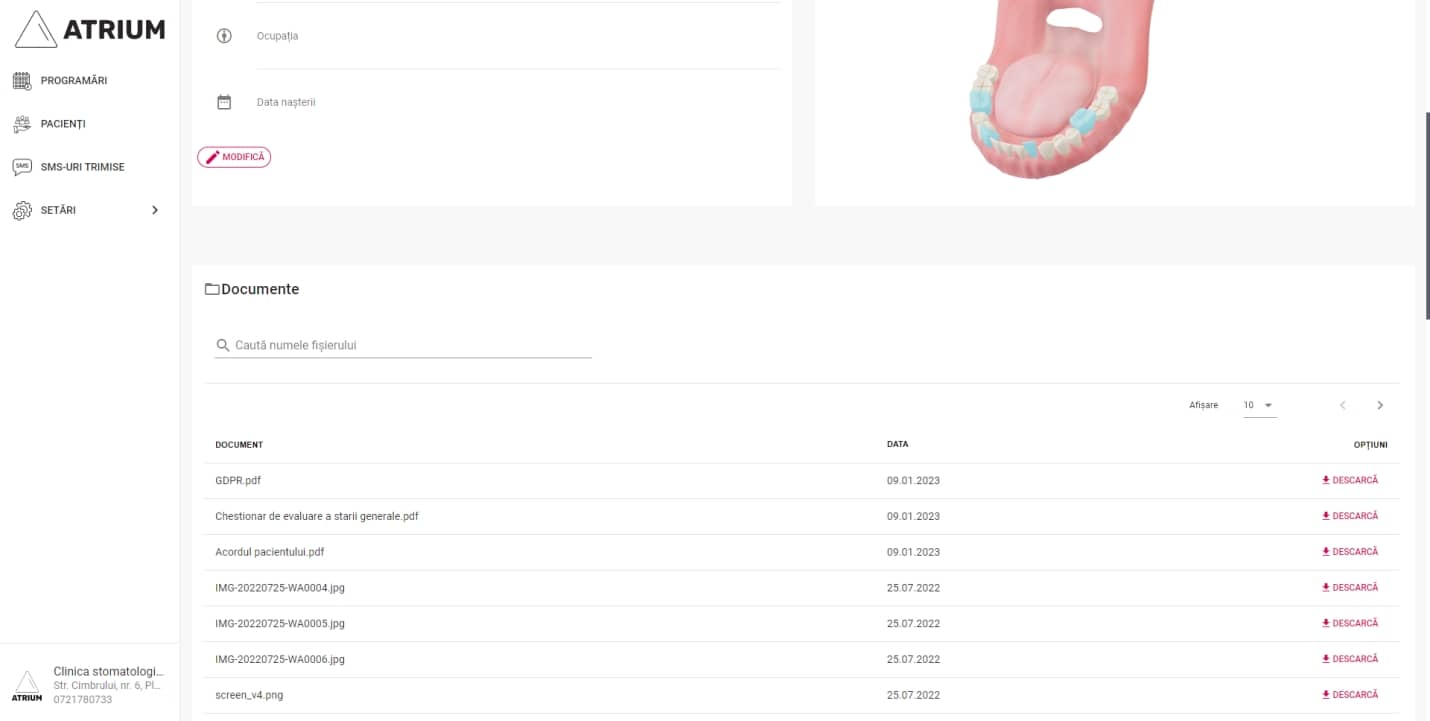
View documents directly in the dental app

Complete forms on the practice tablet or a personal device

AtriumApp lets each practice choose the reception flow that suits it. Patients can complete their medical history, GDPR agreement and consent directly on the practice tablet, their own phone or a desktop computer. For completion before the appointment, the practice sends a secure link with automatic expiry by SMS or email. Once completed, the PDF document is automatically saved in the patient's electronic record.

Digital signature by secure link or QR code

Patients sign directly on the device screen, using touch on a phone or tablet or a mouse on desktop. The form can be opened from the secure link received by SMS or email. At the practice, the team can generate a QR code that the patient scans to open the form instantly on their own phone or on the tablet provided by the practice.

Medical documents attached to the patient record

You can attach relevant medical files to each patient's record: panoramic X-rays, CT scans, intra-oral photos, lab results and any other document needed for complete dental management. Documents are organized chronologically and instantly accessible, with controlled access through the dental software's permissions system.

Usage examples at the dental clinic

New patient: send the anamnesis link before the first visit, the patient fills it in at home, the document is ready on arrival. External investigations: the patient photographs and uploads lab results directly into the digital record. Second medical opinion: the doctor accesses the complete record with all documents and images for an informed assessment. Your dental practice digitalization becomes complete with this integrated workflow.

Questions about completing and signing documents

Yes. In AtriumApp, patients can open the form on the practice tablet and complete and sign directly on screen. The same flow works on the patient's phone or on desktop, and the resulting PDF is automatically saved in the patient's electronic record.

The practice generates a secure link with automatic expiry. It can send the link by SMS or email, or open it at the practice by scanning a QR code. This lets the practice use the patient's device or its own tablet, depending on the reception workflow.

After completion and signing, AtriumApp generates the PDF document and saves it automatically in the patient's electronic record. The practice team can later view it directly in the app according to the configured access permissions.

Get started with AtriumApp and a free trial

Try AtriumApp free, then continue for €140/month. No credit card required to start, our team helps you get set up right away.

Start free trial
Choose which optional services may run. Refusing optional services does not restrict access to the site.
Required for essential functions such as saving your consent choice and selected language.Always active
Allows Google Analytics to help us understand how the site is used. It remains off until you consent.
Allows optional YouTube content to load. No YouTube content or preview is requested before you consent.
No marketing service is currently active. This category cannot be enabled.Not currently used