Sterilization Codes - Faster Identification and Better Traceability in the Sterilization Module
The sterilization module in AtriumApp has been expanded with a new feature: Sterilization Codes. These help you quickly identify the type of instruments in each sterilized pack and appear automatically on printed labels.
In practice, features like these are part of complete dental software for clinics, helping the clinical team manage daily processes more easily, from sterilization to bookings and documents.
What are sterilization codes?
Sterilization codes are configurable abbreviations that define the type of instruments contained in a sterilized pack. Each category can have a short, easily recognizable code. Examples of codes:
- E - Endodontics
- S - Surgery
- CK - Consultation kit
Why are sterilization codes important?
In the clinic's daily workflow, codes cut identification time and reduce the risk of mixing up packs. They also improve organization and support traceability across sterilization cycles.
- Fast identification of the type of instruments in a pack
- Better organization by category and procedure
- Greater control over sterilized packs per cycle
- A clear summary in the details of each sterilization cycle
How do sterilization codes work in AtriumApp?
1) Configuring the codes
From Settings -> Sterilization Codes, you can configure the categories and the items in each category:
- create instrument categories
- set a code for each category
- add the items included in the category
2) Assigning codes to packs (at the end of a cycle)
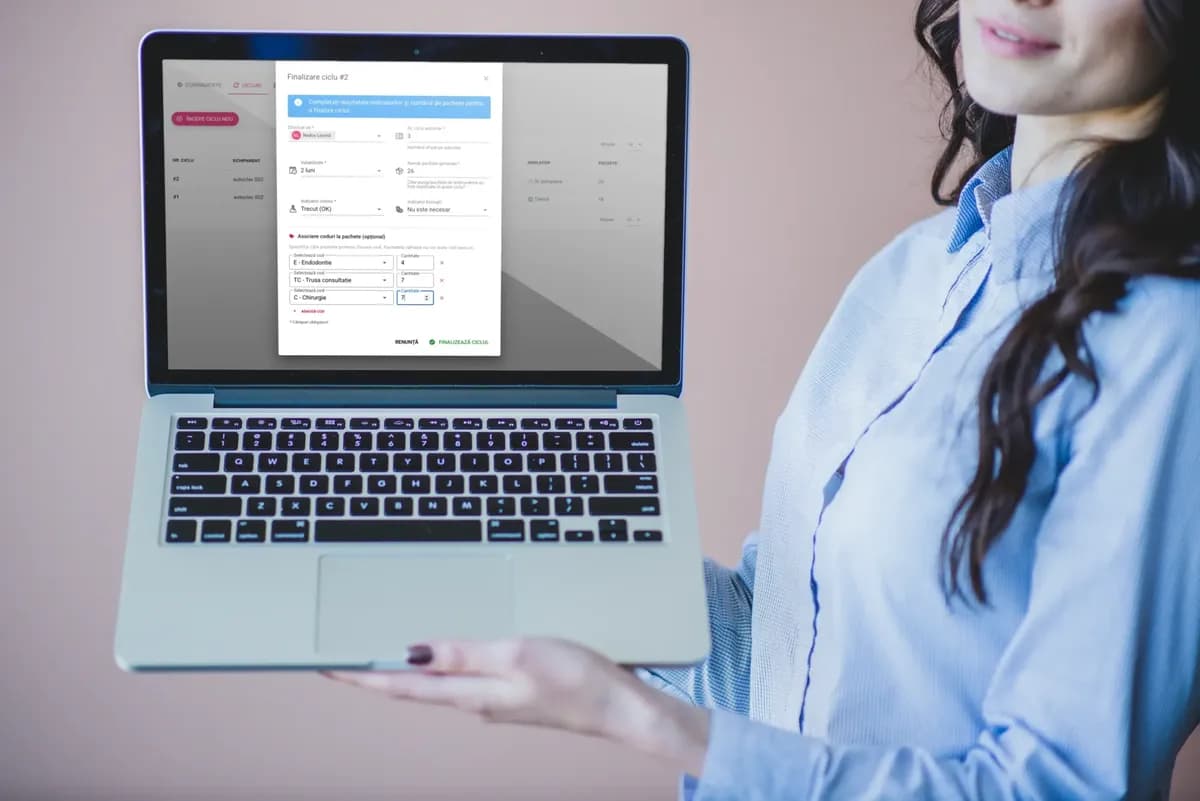
When you complete a sterilization cycle, you can optionally assign sterilization codes to packs, specifying the number of packs for each code. For example:
- 10 packs with code E
- 5 packs with code CK
3) The code appears automatically on printed labels
Once assigned, the code is displayed automatically on the printed labels, for fast identification of packs.
4) Summary in the cycle details
In the sterilization cycle details, you can see a summary of the assigned codes, giving you a clear picture of the packs in that cycle.